
This section is only available on Safe drives and CoE communication.
In this step, all the available Safety functions are shown. It can behave in two different ways depending on whether the process image is editable in the drive or not.
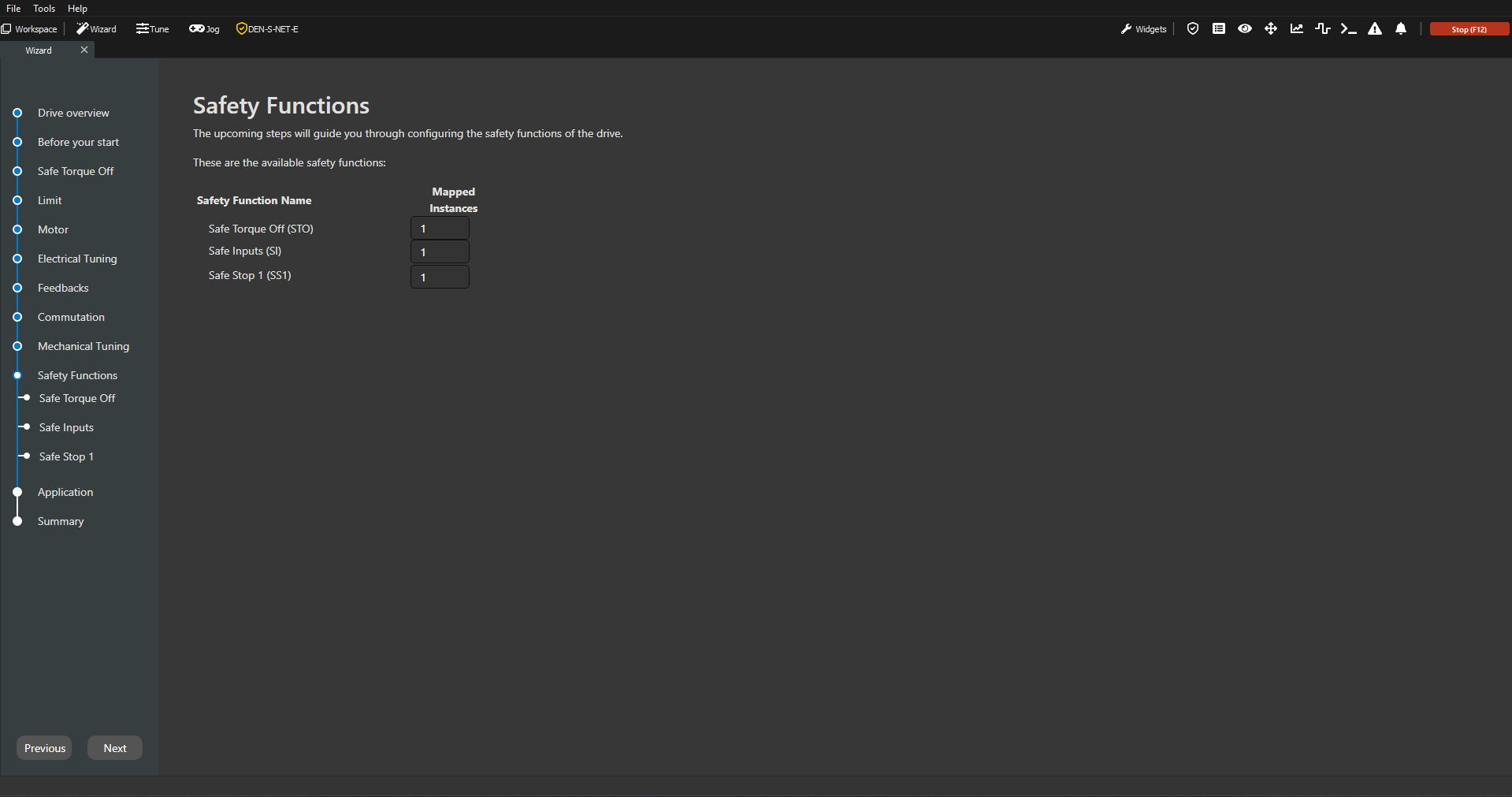
Non-editable Process Image
This page shows the available safety functions and its instances. This page is only to read the drive state, no configurations can be done. The next pages will allow the configuration of the safety functions, if possible.
Editable Process Image
This page shows all available safety functions, allowing the user to select the number of instances of each one. Each drop down shows the available instances for each safety function.
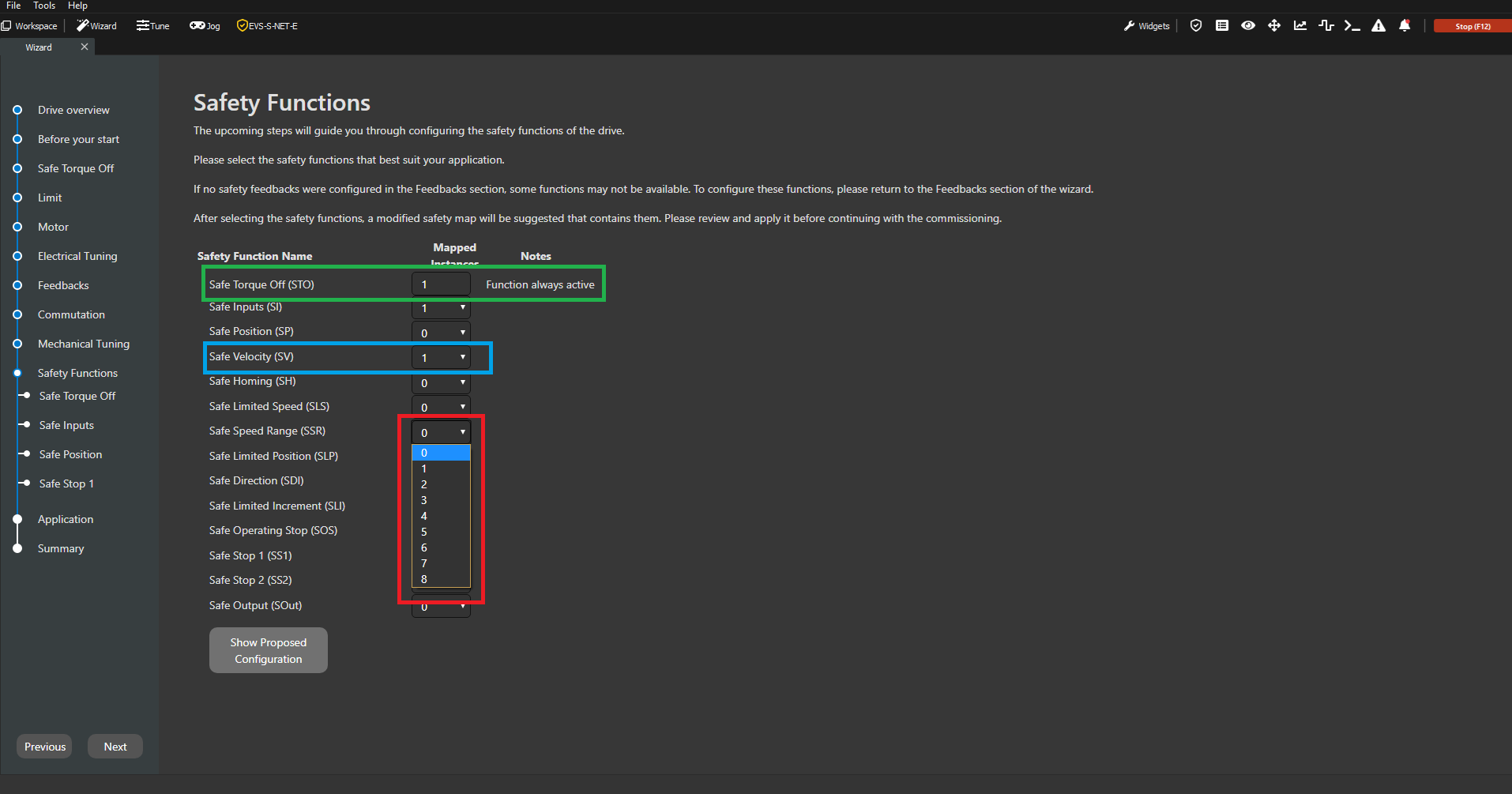
A safety function with a read-only number of instances is shown in green. In this case, STO is not allowed to be unmapped.
A safety function with an editable number of instances is displayed in blue. It is currently set to 1, but it may be changed to 0.
The available number of instances of a safety function is indicated in red. Any value from the drop-down menu can be selected.
How to work with the Safety Functions page with an Editable Process Image?
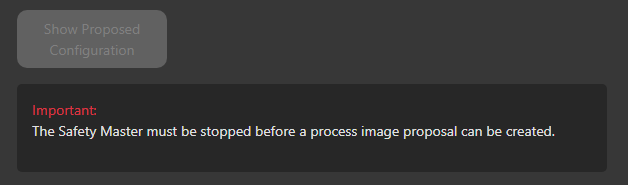
FSoE should be stopped to modify the Process Image.
-
Review and edit, if desired, the available functions.
-
Click on “Show Propossed Configuration“ → The Process Image Editor will pop-up.
-
Review and edit, if desired, the proposed Image.
-
Apply Image when satisfied.
-
Proceed to configure the chosen/mapped functions following the Wizard flow.
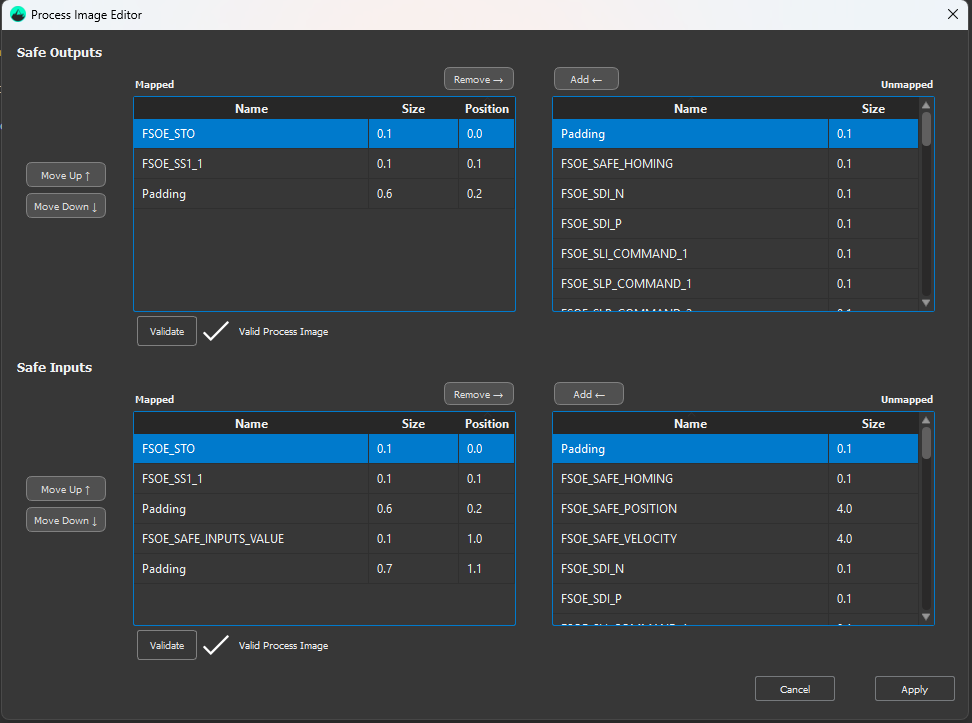
More detailed info about Process Image Editor can be found in Safety Widget page.