
This section only applies to safety drives with safety feedback.
For drives with safety feedback, extra configuration is needed, such as defining a safety feedback scenario. For these drives, additional fields appear on the Feedbacks wizard page:
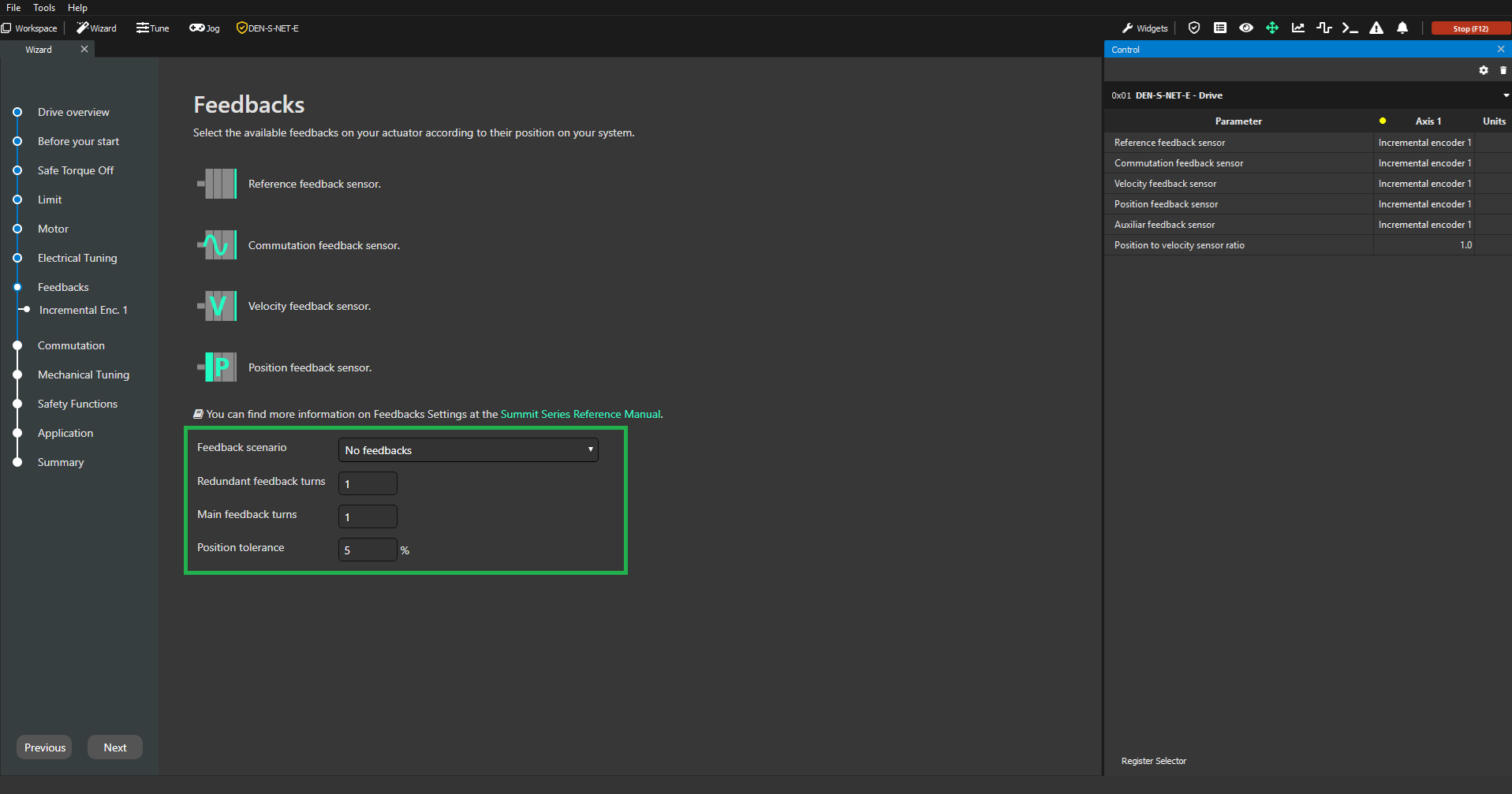
When a different Safety feedback scenario is selected, the wizard workflow updates automatically. Each feedback selected as a Safety feedback will require an extra configuration step.
For example, if the Primary Absolute Encoder is selected as a Safety feedback, it will require the following additional configuration:
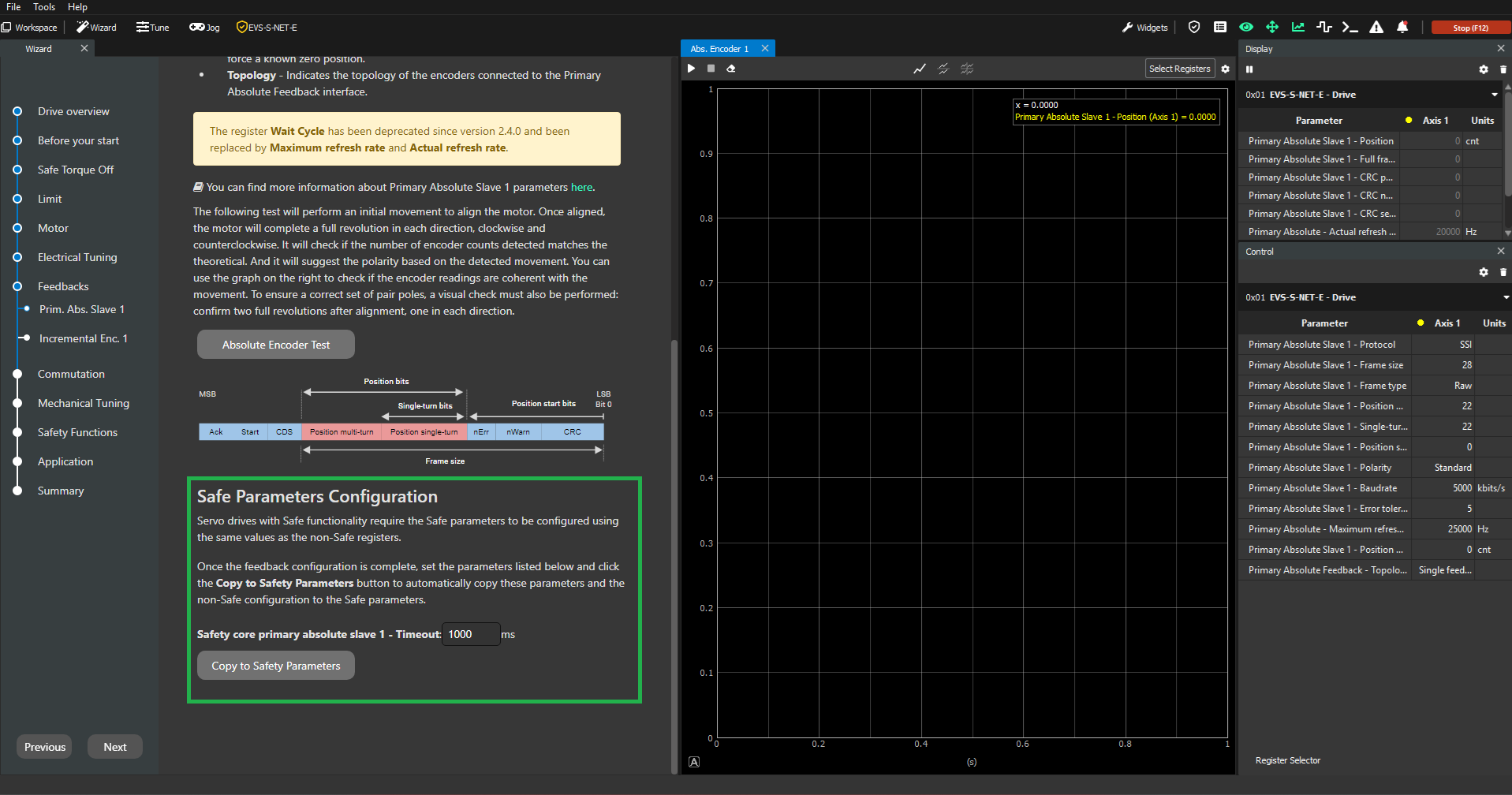
All the extra parameters will appear in the safety section of the page (green box), in this case "Safety core primary absolute slave 1 - Timeout". Once the feedback test passes and all the safety parameters have been correctly set; click on "Copy to Safety Parameters" button to copy the feedback configuration.